
How to Master Run a Restaurant Layout Save Slots: The Ultimate Guide to Building Efficiency
Learn how to use the new Run a Restaurant layout save slots to store builds, share codes, and optimize your restaurant efficiency with our expert guide.
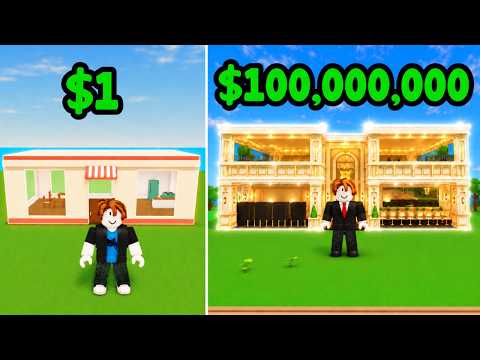 Game mediaLearn how to use the new Run a Restaurant layout save slots to store builds, share codes, and optimize your restaurant efficiency with our expert guide.YouTube
 Layouts Overview
Managing a high-traffic virtual eatery requires more than just good food; it demands a strategic floor plan that maximizes customer flow and profit. With the latest update, players can now utilize run a restaurant layout save slots to preserve their hard work and switch between different design strategies instantly. Whether you are transitioning from a high-efficiency grinding setup to a festive holiday theme, understanding how to navigate these run a restaurant layout save slots is essential for any aspiring tycoon.
Understanding the Layout Save Slot Feature
For a long time, players in the restaurant tycoon community had to manually tear down and rebuild their establishments whenever they wanted a change of pace. This was not only time-consuming but also prone to errors. The introduction of the layout system has revolutionized the gameplay loop.
According to community reports, the layout system is accessible directly through the build interface. When you enter build mode, a new icon—the layout logo—appears on the left side of the screen. This menu serves as your command center for architectural management. Currently, the game provides four distinct save slots. These slots allow you to store the entirety of your restaurant's furniture, appliances, and decorative arrangements.
Why Use Save Slots?
The primary benefit of this system is flexibility. Player experience suggests that having dedicated slots for different purposes can significantly increase your hourly earnings. For example, you might have one slot optimized for "Customer Throughput" (getting NPCs in and out as fast as possible) and another slot dedicated to "Luxury Rating" (using high-end decor to attract VIP customers).
| Feature | Benefit |
|---|---|
| Instant Reloading | Switch designs in seconds without manual placement. |
| Code Sharing | Export your design as a code to show off to the community. |
| Inventory Safety | Ensures all items are accounted for when clearing a build. |
| Strategic Testing | Compare two different layouts to see which generates more revenue. |
Step-by-Step Guide to Using Run a Restaurant Layout Save Slots
Using the run a restaurant layout save slots is relatively straightforward, but there are nuances to the process that can prevent common mistakes like losing progress or accidentally overwriting a masterpiece.
Creating Your First Save
To begin, you must first have a layout currently built in your restaurant.
- Click the Build button on your main UI.
- Select any item from your inventory to activate the build mode tools.
- Locate the Layout Logo on the left-hand side of the screen.
- Choose one of the empty slots (e.g., Slot 1) and click Create.
- Enter a descriptive name for your layout (e.g., "Max Efficiency V1") and click Submit.
Once submitted, your current build is tethered to that slot. You can now modify your restaurant freely, knowing that your original design is safely stored.
Managing and Equipping Existing Layouts
When you want to switch back to a saved design, the process involves a few more critical steps. Based on player experience, it is vital to check your inventory before attempting to equip a layout.
| Action | Description | When to Use |
|---|---|---|
| Equip | Overwrites your current restaurant with the saved layout. | When you want to change your restaurant's theme or strategy. |
| Delete | Removes the saved data from the slot. | When you want to free up a slot for a new design. |
| Import | Uses a text code to download a layout from another player. | When you want to try a community-recommended setup. |
The "Clear All" Function
Before loading a new layout, many players prefer to start with a blank canvas. By selecting "Clear All" in the inventory menu, you can pick up every single item in your restaurant at once. The game will prompt you with a confirmation: "Are you sure you want to pick up the entire restaurant? You will reboot it into the server." Confirming this will send everything back to your inventory, allowing for a clean slate to apply your run a restaurant layout save slots.
Sharing and Importing Layout Codes
One of the most exciting aspects of the update is the ability to share your creativity. Each saved layout generates a unique alphanumeric code. By sharing this code, other players can replicate your exact furniture placement in their own games.
How to Export a Code
Navigate to the layout menu, select the slot you wish to share, and click Manage. You will see a string of characters (e.g., C830AA07EBDE). This is your layout's DNA. Copy this code and share it on community forums or Discord servers.
How to Import a Code
To use someone else's design:
- Open the Layout menu.
- Click the Import button.
- Carefully type or paste the code into the text field.
- Submit the code.
- If successful, the layout will appear in your chosen slot, ready to be equipped.
Important Note on Item Requirements: You cannot equip an imported layout if you do not own the required items. The game will provide a list of "Items Required" before you can finalize the equip process. If you are missing three "Luxury Tables," for example, you must purchase them from the shop before the layout can be deployed.
Pro Tips for Efficient Restaurant Management
To truly master the run a restaurant layout save slots, you need to think like a pro. Seasoned players have discovered several tricks that can save you time and virtual currency.
The "Money Collection" Warning
A critical piece of advice shared by the community is to collect all your money before switching layouts. When you equip a new save slot, the restaurant essentially reboots. Any uncollected cash sitting on tables or in registers may be disregarded or lost during the transition. Always do a final sweep of the floor before hitting that "Equip" button.
Optimizing for Inventory
Since you can only equip layouts for which you own all the parts, it is wise to keep a "Base Layout" that uses common items.
| Item Category | Recommended Stock for Most Layouts |
|---|---|
| Tables | 20-30 units |
| Chairs | 40-60 units |
| Stoves | 5-10 high-speed units |
| Dishwashers | 3-5 units |
| Decor | 10+ plants/paintings |
By maintaining a healthy stock of these items on the official Roblox platform, you ensure that you can switch between your run a restaurant layout save slots without being blocked by missing inventory.
Why Multiple Layouts Matter: Strategy and Optimization
Why settle for one design when you have four slots? The most successful players use their slots to adapt to different gameplay needs.
Slot 1: The Money Maker
This layout is usually purely functional. It ignores aesthetics in favor of short paths between the kitchen and the tables. Tables are often packed tightly, and the decor is minimal to reduce NPC pathfinding lag.
Slot 2: The Aesthetic Showcase
This is where you let your creativity shine. Use this slot for themed builds—like a 50s Diner, a futuristic bistro, or a cozy cafe. This is the layout you "Equip" when you want to take screenshots or invite friends to see your progress.
Slot 3: Event/Seasonal
When a holiday update drops, use this slot to store your Christmas or Halloween decorations. This way, when the season ends, you don't have to manually remove every pumpkin or candy cane; you just switch back to Slot 1.
Slot 4: The Experimental Lab
Use the final slot to test new theories. Does placing the kitchen in the center of the room work better than in the corner? Save your current build to Slot 1, clear the floor, and use Slot 4 to experiment with radical new designs.
Troubleshooting Common Layout Issues
Even with a robust system, players may encounter occasional hiccups. Here is how to handle the most common problems involving run a restaurant layout save slots.
- "Invalid Code" during Import: Double-check every character. Layout codes are case-sensitive and often contain similar-looking characters (like the letter O and the number 0).
- Layout Won't Equip: Check the "Items Required" list. Even if you are missing a single lamp, the game will prevent the layout from loading to ensure the integrity of the design.
- Missing Furniture after Clear All: If you clear your restaurant and items seem to have vanished, try refreshing your inventory or re-joining the server. The "Clear All" function is powerful and sometimes requires a moment for the server to sync your inventory data.
| Problem | Likely Cause | Solution |
|---|---|---|
| Code doesn't work | Typo or expired code | Re-copy from source |
| Grayed out Equip button | Missing items in inventory | Buy missing pieces in shop |
| Revenue drop after swap | Poor pathfinding in new layout | Rearrange kitchen proximity |
| Lost Cash | Swapped layout before collecting | Always collect cash first |
Conclusion
The addition of run a restaurant layout save slots is a game-changer for players who take their restaurant management seriously. It removes the tedious barrier of manual rebuilding and opens up a world of community sharing and strategic experimentation. By following the steps outlined in this guide—naming your slots, checking item requirements, and always collecting your cash before a swap—you can ensure your restaurant remains the most profitable and stylish spot on the server.
Whether you are a veteran player or just starting your culinary journey, these save slots are your best tool for long-term success. Dive into the layout menu today and start building your empire, one slot at a time!
Frequently Asked Questions
How many run a restaurant layout save slots can I have?
Currently, the game provides four save slots for every player. These can be used to store completely different restaurant designs, including all furniture and decorative placements.
Can I share my layout with a friend?
Yes! By selecting a saved layout and clicking "Manage," you can generate a unique code. Your friend can then use the "Import" feature in their own layout menu to copy your design, provided they own the necessary items.
What happens to my money when I change layouts?
It is highly recommended to collect all money from your tables and registers before equipping a new layout. Community reports indicate that uncollected money may be lost or disregarded when the restaurant reboots to load the new save slot.
Do I need to buy items again if I use a layout code?
A layout code only stores the placement of items. You must already own the items in your inventory to successfully equip the layout. If the code uses items you don't own, you will need to purchase them from the shop first.
Related Guides
Best Run a Restaurant Layout Codes for Maximum Efficiency (2026 Guide)
Boost your earnings with the best Run a Restaurant layout codes. Discover expert tips for kitchen flow, table placement, and optimizing your restaurant setup.
How to Run a Restaurant Kitchen Layout for Maximum Efficiency and Profit
Learn how to run a restaurant kitchen layout that optimizes workflow, boosts staff productivity, and ensures safety in your commercial kitchen.
Optimizing Your Run a Restaurant Fishing Layout for Maximum Efficiency and Profit
Master the best run a restaurant fishing layout in Roblox. Learn to minimize worker travel time, optimize storage, and boost profits with our guide.
Run a Restaurant Best Layout Guide: Optimize Your Kitchen and Dining Efficiency
Struggling to manage your restaurant? Discover the best layout to run a restaurant efficiently, whether you are free-to-play or looking to maximize gains.